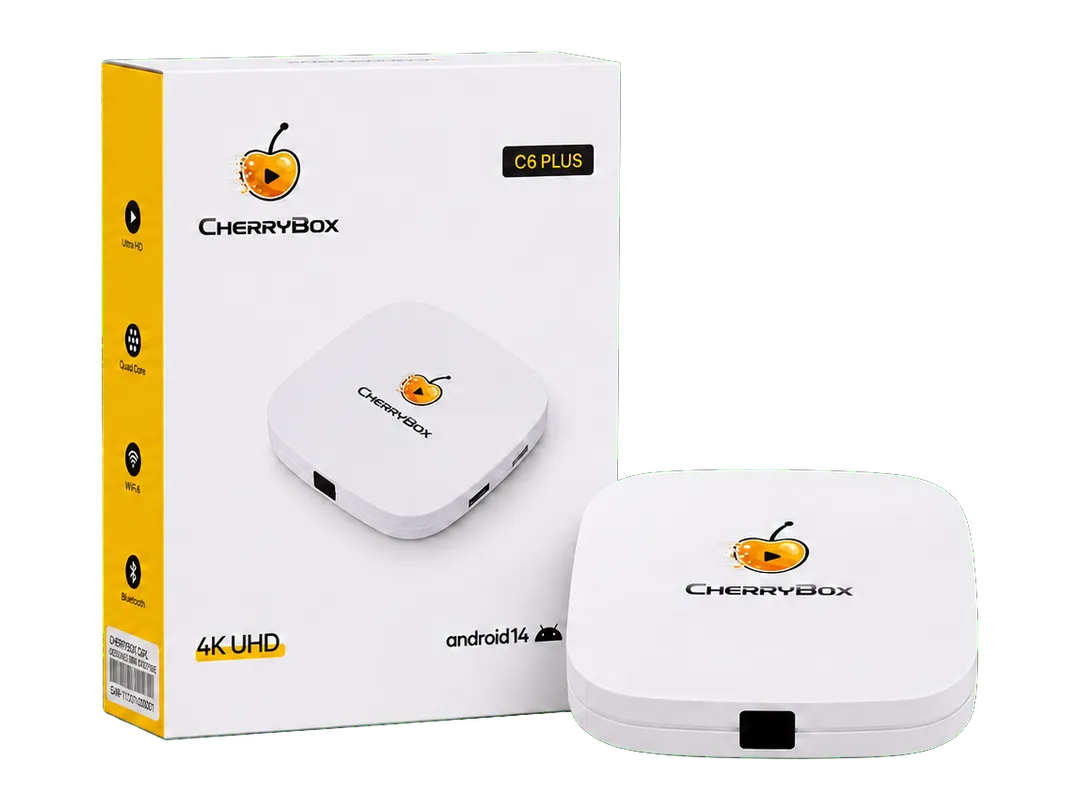
Your Main TV
Start with the living room, bedroom or the screen you watch most.
CHERRYBOX C6 PLUS
A fully loaded Android 14 TV box with 3,420 channels and programs, 10,000+ movies and TV shows, and playback up to 4K. Connect this IPTV streaming box to your TV and internet to watch without monthly CherryBox viewing fees.
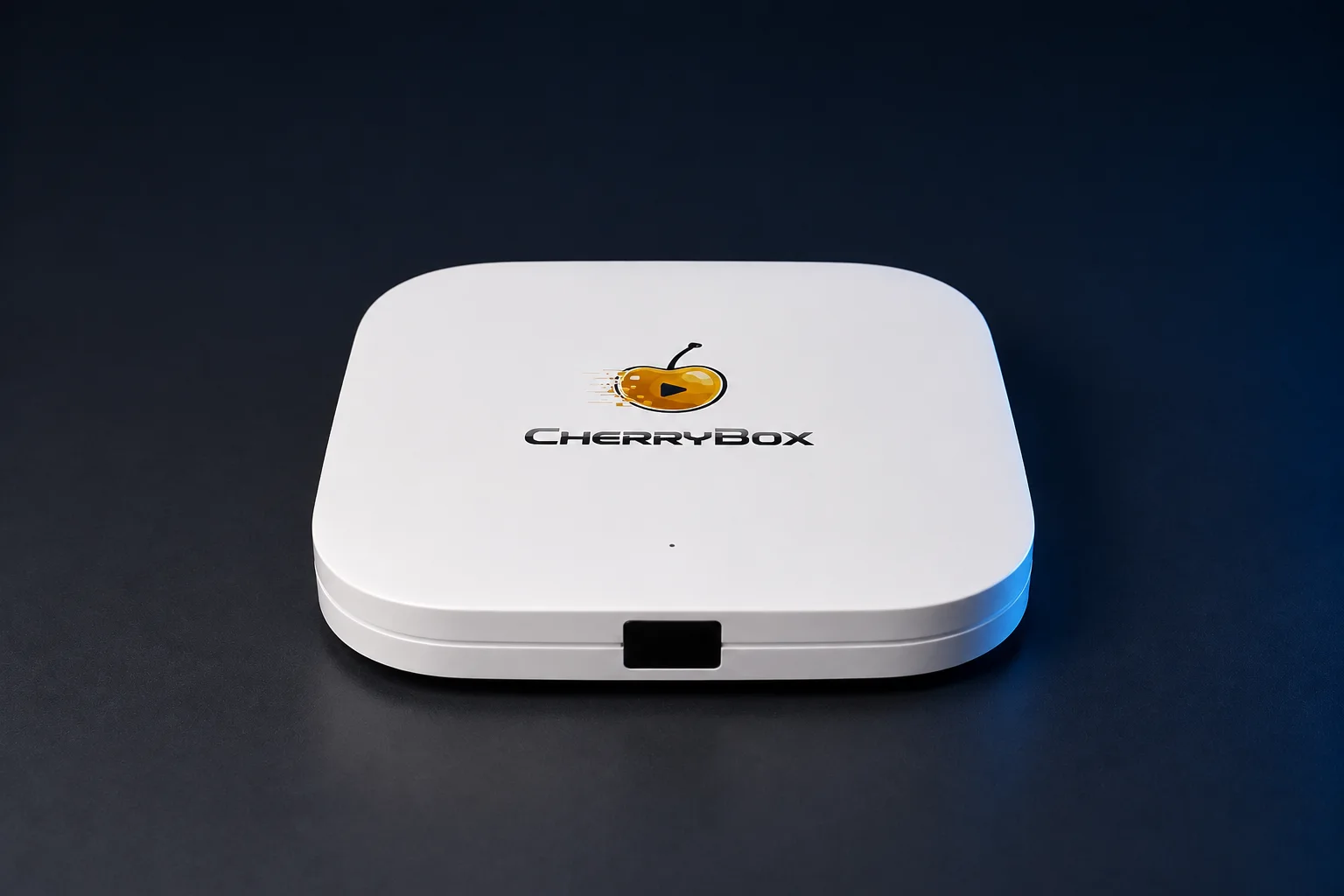
Select an image to see the front, ports, remote and package contents.
ONE BOX PER TV
Each TV uses its own CherryBox. Think about where your family watches before choosing a quantity in the purchase area above.
Start with the living room, bedroom or the screen you watch most.
Keep a separate CherryBox beside each TV so nobody has to move the device from room to room.
Set up another screen for your parents, an RV or a second home and leave it ready to watch.
WHAT THE HARDWARE DOES FOR YOU
4K · Up to 60 fps · H.265/HEVC
Supported content can play at up to 4K UHD for a sharper picture on a compatible 4K display.
Picture quality depends on the content, display, HDMI connection and internet speed.
Compatible video can play at up to 60 frames per second for smoother motion.
Frame rate support is separate from resolution and depends on the video and display.
C6 Plus supports decoding compatible H.265 and HEVC video, an efficient format commonly used for high‑resolution playback.
4GB RAM · 64GB storage · Android 14
The 4GB of memory gives Android 14 room for responsive navigation, search and everyday app switching.
C6 Plus has twice the 32GB storage found in many competing TV boxes, leaving more room for apps and software updates.
Android 14 runs the device interface, apps, settings and over‑the‑air software updates.
Bluetooth 5.0 · English voice search
The included Bluetooth remote works without direct line of sight.
Use English voice search to find content without typing.
CHOOSE THE BEST CONNECTION
C6 Plus is an Android TV box with an Ethernet port and dual-band Wi‑Fi, so you can choose the connection that suits your room.
2.4GHz Wi‑Fi
Try 2.4GHz Wi‑Fi when C6 Plus is farther from the router or the signal passes through several walls.
A practical option for rooms farther from the router.5GHz Wi‑Fi
Try 5GHz Wi‑Fi when C6 Plus is close to the router and has a strong signal.
A practical option for nearby rooms.10/100M Ethernet
Connect an Ethernet cable when the router is within reach and you prefer a wired connection.
Choose this when a cable can reach the box.Choose the option that works best in your home. Actual performance depends on your router, broadband connection and local network conditions.
MORE TO WATCH
CHECK THE FIT BEFORE YOU ORDER
C6 Plus is a compact square box measuring 108 × 108 × 20 mm, or 4.25 × 4.25 × 0.79 inches. Its low 20 mm profile fits easily on a TV stand without taking over the space.
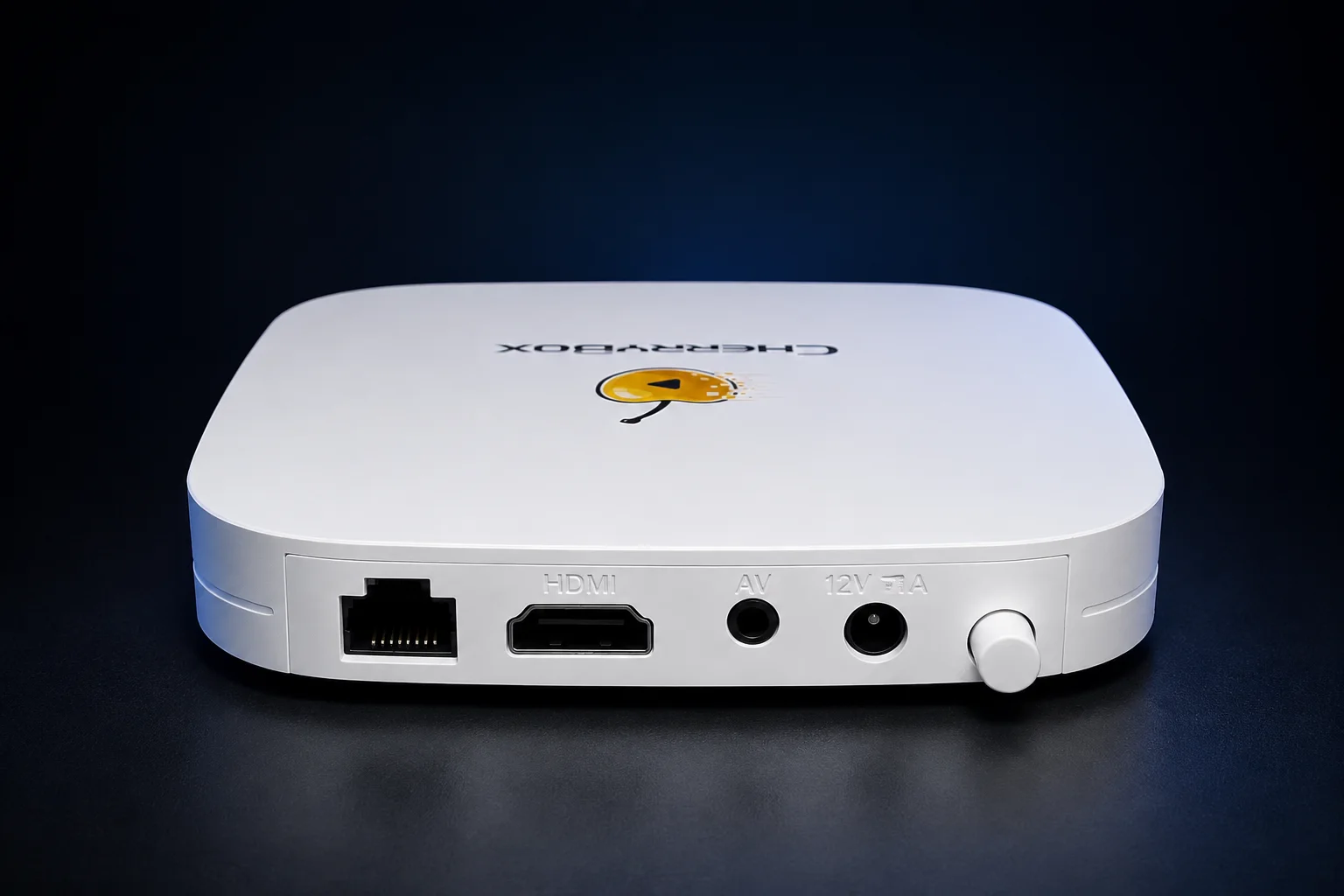
Use HDMI for a television, computer monitor or projector with an available HDMI input. Ethernet provides a wired network option, and AV supports compatible legacy connections.
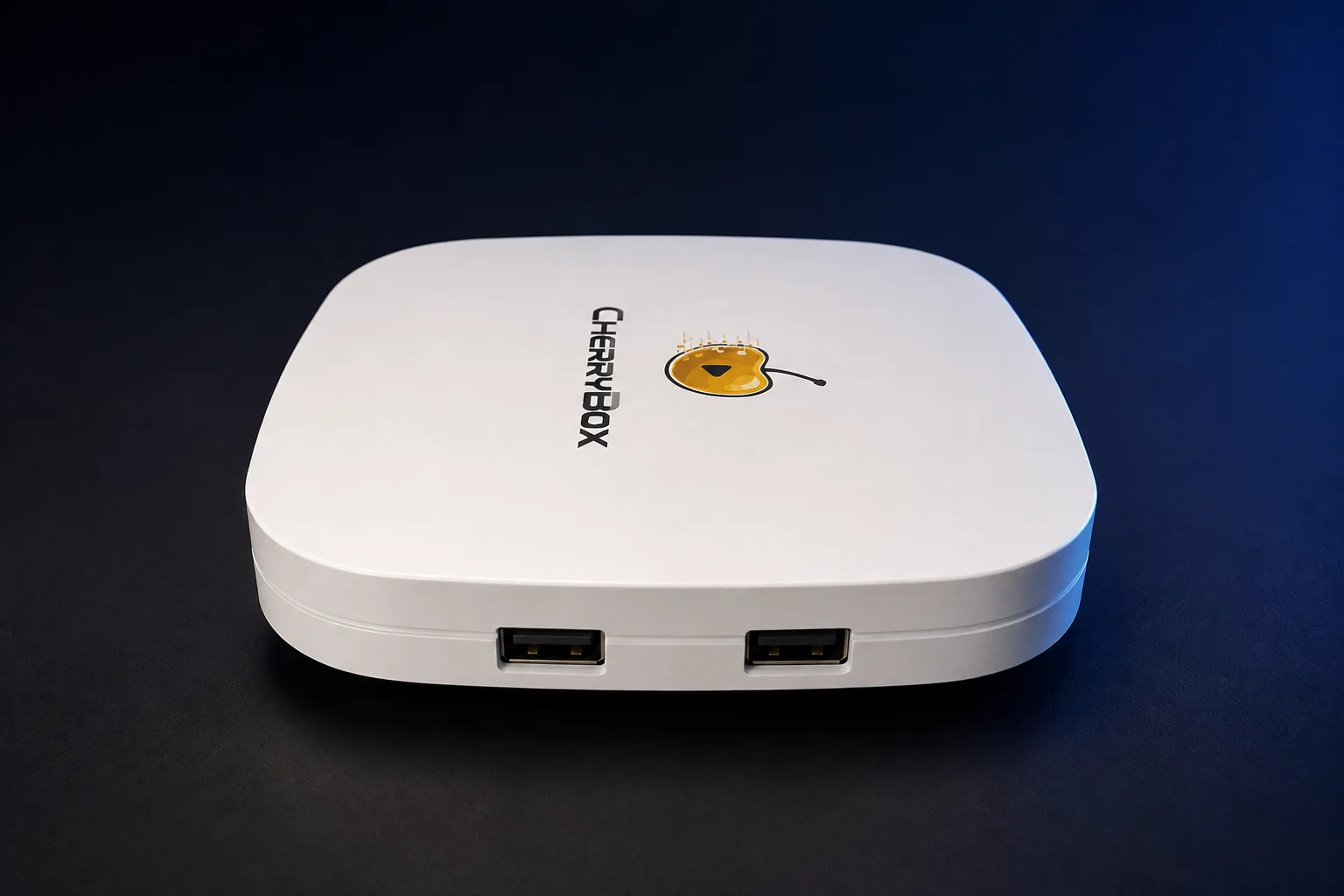
The two USB 2.0 ports sit in one horizontal row on the side and provide room for compatible USB accessories.
IN THE BOX
Open the package, connect the included hardware and follow the User Manual.
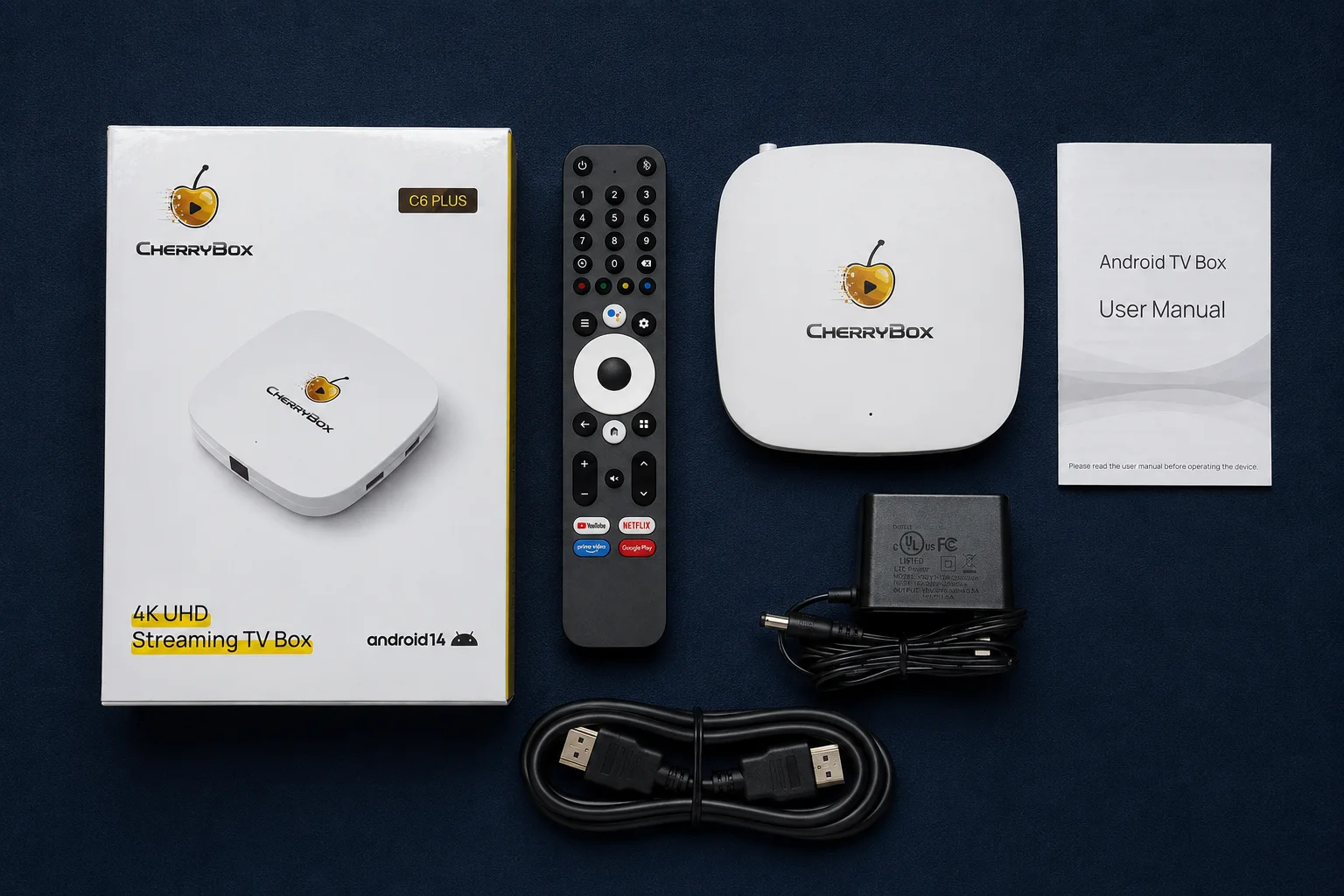
Install 2 AAA batteries in the voice remote before use.
Keep the retail box and order information until you have confirmed that every item arrived in good condition.
FULL SPECIFICATIONS
| Operating system | Android 14 |
|---|---|
| CPU | GK63 quad-core 64-bit ARM Cortex-A55 |
| GPU | Mali450 |
| Graphics support | OpenGL ES 2.0 / 1.1, OpenVG 1.1 |
| Memory | 4GB DDR |
| Storage | 64GB |
| Maximum output | Up to 4K UHD at 60 fps |
|---|---|
| Video decoding | H.265 / HEVC |
| HDMI output | Yes |
| AV output | Yes |
| Wi‑Fi | 802.11 a/b/g/n/ac |
|---|---|
| Wi‑Fi bands | 2.4GHz and 5GHz |
| Bluetooth | 5.0 |
| Ethernet | 10/100M |
| USB | 2 × USB 2.0 |
| Power input | DC 12V/1A |
| Shape | Square with rounded corners |
|---|---|
| Dimensions | 108 × 108 × 20 mm |
| Dimensions in inches | 4.25 × 4.25 × 0.79 in |
| Color | White |
| Remote | Bluetooth voice remote |
| Remote batteries | Install 2 × AAA batteries |
Specifications describe the CherryBox C6 Plus hardware. Playback quality and network performance depend on the content, display, router, internet connection and local conditions.
UPDATES AND SUPPORT
Software updates
C6 Plus can receive over‑the‑air software updates. Choose automatic updates for convenience or run updates manually when you prefer.
CherryBox provides OTA updates and software support while the CherryBox service remains in operation.
CherryCare
CherryCare is available 24/7 for help with setup, playback, networking, the remote and channels.
BEFORE AND AFTER DELIVERY
U.S. orders include free shipping. Estimated delivery is 3-7 calendar days after dispatch.
Shipping to Canada is $30. Estimated delivery is 7-10 calendar days after dispatch. Import duties, taxes or brokerage fees may be charged by local authorities or the carrier.
The return window starts on the day your order is delivered. Contact CherryCare before sending a product back so we can provide the correct return instructions.
CherryBox C6 Plus includes a 1‑year limited hardware warranty. Coverage applies to eligible hardware issues under the published warranty terms.
Experiences with CherryBox C6 Plus.
This has been the perfect solution for my viewing needs. The options are tremendous and I am enjoying my viewing experience.
Amazing purchase. Great coverage no complaints. Must buy!
A fantastic way to watch TV!
PRODUCT QUESTIONS
Yes. Each TV needs its own CherryBox C6 Plus. Choose one box for one TV, two boxes for two TVs, or three boxes for three TVs.
Yes. You can keep your older TV and use C6 Plus to watch live channels, movies and TV shows as long as it has an HDMI input. It works with non-smart TVs and smart TVs, as well as monitors and projectors with HDMI.
No CherryBox account or activation code is needed. Connect C6 Plus to your TV with the included HDMI cable, plug in the power adapter, and connect to your home internet. Then open a built-in app and start watching. If you need a hand, CherryCare is available 24/7 to guide you.
You need supported 4K content, a compatible 4K display, the correct HDMI connection and a stable internet connection. We recommend at least 25 Mbps for 4K streaming.
Use 2.4GHz when the router is farther away, 5GHz when the box is closer and has a strong signal, or Ethernet when you want a direct wired connection. Your home layout and network traffic can affect the result.
Install 2 AAA batteries in the Bluetooth voice remote before use.
CherryCare provides 24/7 human support for setup, playback, networking, the remote and channels. Your order also includes a 60‑day return window from delivery and a 1‑year limited hardware warranty.
CHERRYBOX C6 PLUS
Bring home 3,420 channels and programs, plus 10,000+ movies and TV shows in one easy‑to‑use box. Pay once, with no monthly fees.